Part 1: Account Setup & The Modern AWS Free Tier Model
A complete step-by-step guide to setting up your new AWS account, navigating identity verification, linking payment methods safely, and leveraging the new $200 credit-based Free Tier model.
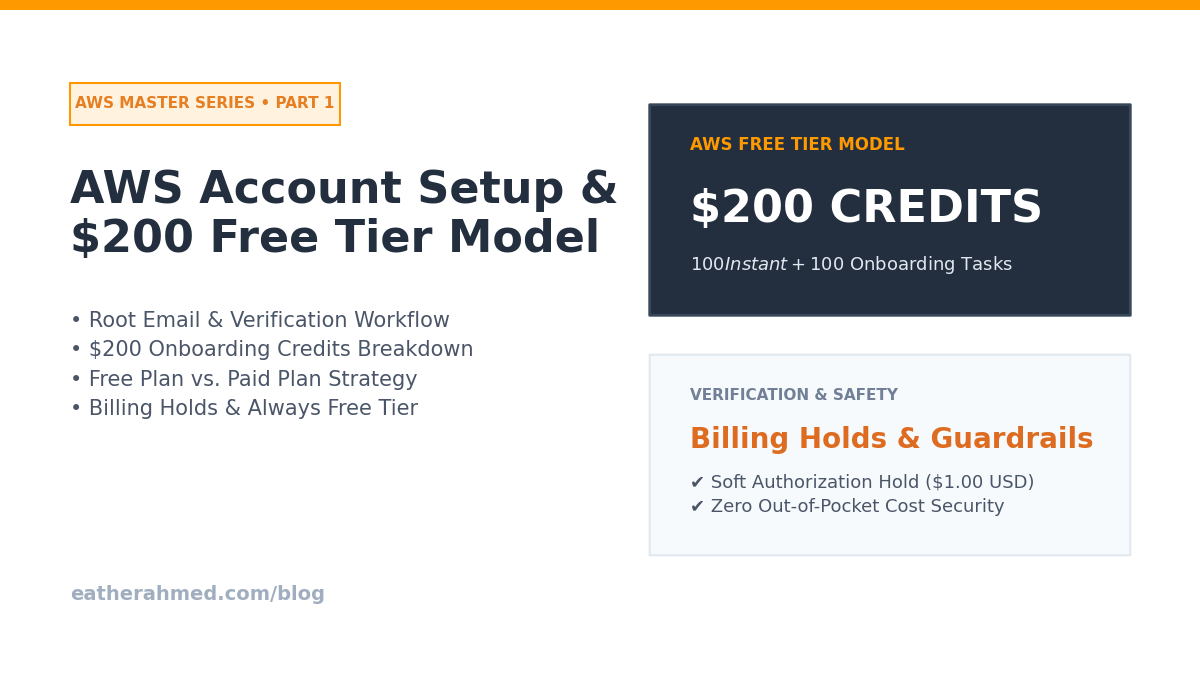
Starting your cloud computing journey with Amazon Web Services (AWS) unlocks immense infrastructure power. However, setting up your account correctly from Day 1 is critical to ensure security and prevent unexpected billing surprises.
In Part 1 of this guide, we walk through creating your AWS account step-by-step, linking payment methods safely, and understanding how the credit-based AWS Free Tier model works.
01: Creating Your AWS Account
Setting up an AWS account takes only a few minutes, but paying strict attention to security details during registration is essential.
Step-by-Step Registration Workflow:
Navigate to AWS: Visit aws.amazon.com and click Create an AWS Account.
Root User Email Address: Enter an email address you control permanently. This email becomes your AWS Root User—the ultimate administrative identity with unrestricted access to every resource and billing setting.
AWS Account Name: Choose a clear, identifiable account name (e.g.,
jdoe-cloud-lab). You can modify this name later in your account settings.Verification: Enter the verification code sent to your email to verify ownership.
Set Root Password: Create a strong, unique password (at least 16 characters combining uppercase, lowercase, numbers, and symbols). Never reuse a password from another web service.
02: Account Type & Contact Details
AWS requires you to fill in your contact information and choose an account type:
Personal: Designed for individual developers, students, researchers, or hobbyists building learning environments.
Business: Intended for commercial organizations, startups, or corporate entities.
For individual learning, select Personal. Fill in your legal name, phone number, address, and country accurately. Ensuring your phone number is valid is essential, as AWS uses automated SMS or voice calls for identity verification.
03: Linking Your Payment Method Safely
AWS requires a valid payment method during registration to verify your identity and cover any resource usage.
How Billing Verification Works:
Temporary Authorization Hold: AWS will issue a temporary authorization hold (typically $1.00 USD or equivalent local currency) to confirm your card is valid. This hold is automatically released by your bank within a few business days.
Accepted Payment Methods: Standard credit cards (Visa, Mastercard, American Express) and international debit cards capable of online international transactions.
Pro Tip for Debit Cards: Ensure international online transactions are explicitly enabled through your banking portal or mobile app before submitting card details to prevent verification failures.
04: Understanding the AWS Free Tier (Credits & Account Plans)
AWS uses a credit-based Free Tier structure for new accounts. All new AWS accounts receive promotional credits and choose between two account plans:
Plaintext
[ New AWS Sign-Up ] ──► Initial $100 Promotional Credit (Instant)
                             │
                             ▼ Complete Onboarding Labs
                       Earn Up to $100 Additional Credits
                             │
                             ▼ Choose Account Plan
             ┌───────────────────────────────┴───────────────────────────────┐
             ▼                                                               ▼
    [ Free Account Plan ]                                          [ Paid Account Plan ]
 - 6-Month Hard Cap                                        - Standard Pay-As-You-Go
 - Auto-closes when credits run out                      - Unrestricted service access
 - Zero bill risk (ideal for learners)                  - Short-term trials unlocked
Choosing the Right Plan at Signup:
Feature | Free Account Plan | Paid Account Plan |
Initial Credits | $100 USD automatically applied at sign-up. | $100 USD automatically applied at sign-up. |
Bonus Credits | Earn up to $100 USD more via onboarding tasks. | Earn up to $100 USD more via onboarding tasks. |
Account Lifecycle | Auto-closes after 6 months or when credits hit $0. | Stays active indefinitely. Converts to pay-as-you-go. |
Bill Risk | Zero. The account cannot incur out-of-pocket charges. | Standard Risk. Charges bill to your card once credits run out. |
Service Access | Restricts high-cost items (e.g., Marketplace, RIs). | Unrestricted access to all AWS services and short-term trials. |
Recommendation for Beginners: Choose the Free Account Plan! It acts as a natural safety net, ensuring you can learn and experiment without any risk of unexpected credit card charges. If your credits expire or reach $0, AWS grants a 90-day grace period to export your data before closing the account.
05: How to Claim Your $200 in Total AWS Credits
Upon sign-up, your account immediately receives $100 USD in credits. You can earn up to $100 USD in additional credits ($20 each) by completing five basic onboarding tasks within your first six months:
Launch & Terminate an EC2 Instance: Spin up a basic server and terminate it.
Configure an RDS Database: Launch a temporary Amazon RDS database.
Deploy a Serverless Lambda Function: Create a basic Python or Node.js AWS Lambda function with a Function URL.
Test Amazon Bedrock: Submit a single text prompt inside the Amazon Bedrock AI playground.
Set Up an AWS Budget: Create an automated billing budget inside AWS Budgets.
Always Free Services
Regardless of your plan or credit balance, over 30 AWS services include Always Free monthly allowances that reset every month indefinitely:
AWS Lambda: 1 million free requests + 400,000 GB-seconds of compute time per month.
Amazon DynamoDB: 25 GB of NoSQL data storage per month.
Amazon CloudWatch: 10 custom metrics and 5 GB of log ingestion per month.